
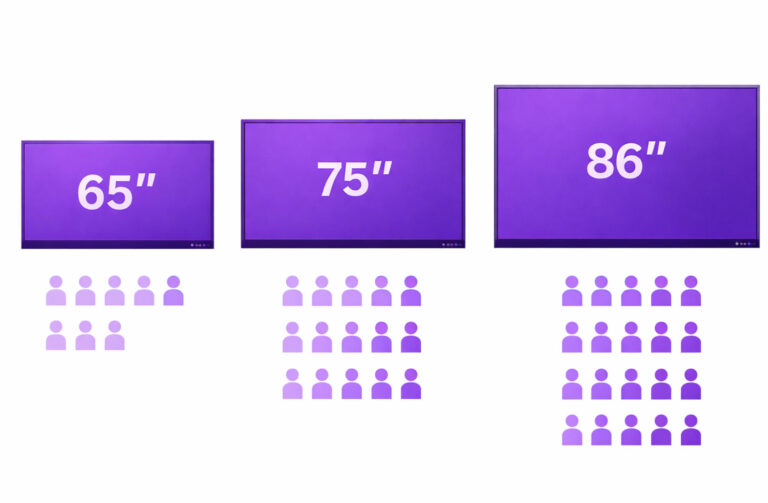
When you reach out to an interactive display supplier, one of the first questions they will ask is likely about the size of the interactive display you need. For many, this can be a challenging question to answer, as the concept of “smart board size” can be quite ambiguous. Often, buyers aren’t sure what size would best suit their space or needs, leading to confusion during the selection process.
In this article, we will explore the different smart board sizes available, helping you understand how to choose the right one for your specific requirements. Whether you’re considering a display for a small meeting room or a large auditorium, this guide will provide you with the knowledge to make a more informed decision. Let’s dive in and clear up any uncertainties about selecting the perfect size for your smart board!
Understanding Common Smart Board Sizes
Smart boards come in a variety of sizes to suit different needs and spaces, typically ranging from 55 inches to 100 inches. While 55″ and 65″ models are ideal for smaller meeting rooms or classrooms, the 86-inch smart board is one of the most popular choices for medium to large spaces. It offers ample screen area for presentations, group collaboration, and interactive teaching, making it well suited for conference rooms, training centers, and larger classrooms.
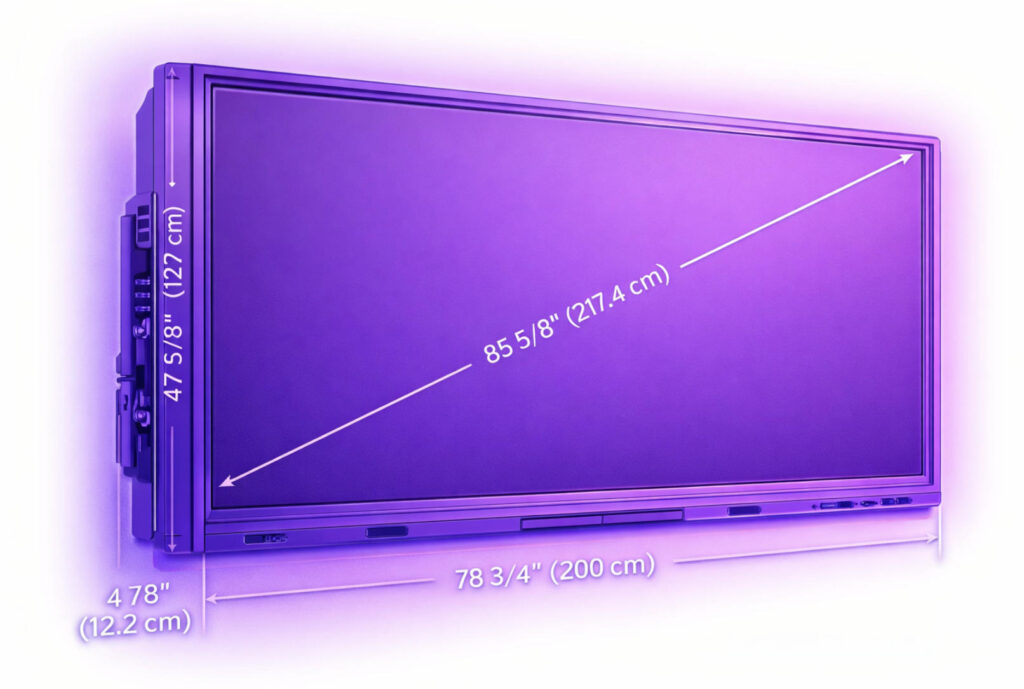
Smart board sizes are measured diagonally from one corner of the active display area to the opposite corner, just like TVs and monitors. This measurement refers only to the visible screen, not the outer bezel. For example, an 86-inch smart board has a diagonal viewing area of approximately 217.4 cm. With a standard 16:9 aspect ratio, this typically translates to a visible width of around 1900 mm and a height of about 1070 mm. The overall product dimensions may be slightly larger depending on bezel design.
Choosing the right size depends on both room layout and usage. An 86-inch display works especially well when multiple people need to view or interact with content at the same time. It delivers clear visibility from 2.5–5 meters away while still allowing comfortable touch interaction at close range.
By understanding diagonal measurement, physical dimensions, and viewing distance, you can confidently select the most appropriate smart board size for your specific application.
How To Select the Right Size Smart Board for Your Space?
Selecting the right smart board size is essential for creating a comfortable viewing and interaction experience. The two most important factors to consider are room size and number of users. A display that’s too small can make content hard to see, while an oversized screen in a compact room may feel overwhelming.
For smaller meeting rooms or classrooms, 55”–65” smart boards usually provide sufficient visibility for close-range viewing. Medium-sized rooms benefit from 75”–86” displays, offering more screen real estate for presentations, collaboration, and interactive learning. For large conference rooms, auditoriums, or training halls, a 100-inch smart board delivers maximum impact and ensures clear visibility even from the back of the room.
Viewing distance also matters. As a general rule, the larger the room and audience, the larger the screen should be. Seating layout, wall space, and mounting height all influence the final choice.
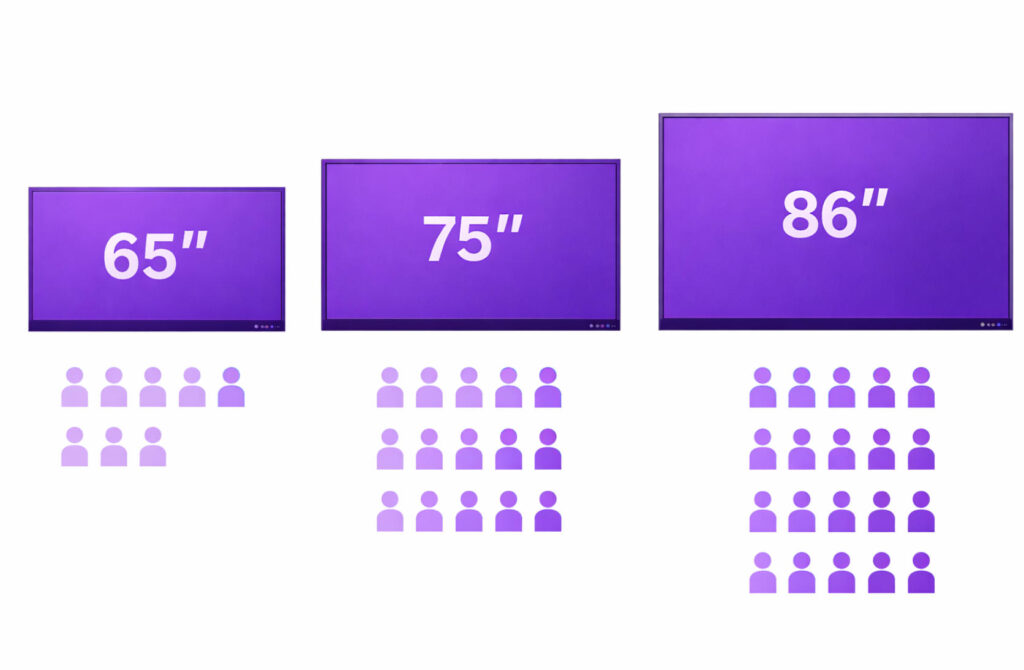
Recommended Smart Board Sizes by Room & Audience
| Smart Board Size | Approx. Room Size | Recommended Users | Typical Viewing Distance | Common Applications |
|---|---|---|---|---|
| 55 inch | 10–20 m² | 5–10 people | 1.5–3 m | Small meetings, personal offices |
| 65 inch | 15–30 m² | 8–15 people | 2–3.5 m | Small classrooms, team meetings |
| 75 inch | 25–40 m² | 10–25 people | 2.5–4 m | Medium classrooms, training rooms |
| 86 inch | 30–60 m² | 15–40 people | 3–5 m | Large classrooms, conference rooms |
| 100 inch | 50–100+ m² | 30–60+ people | 4–7 m | Auditoriums, lecture halls, large boardrooms |
About the 100-Inch Smart Board
A 100-inch smart board features a diagonal display of approximately 254 cm, with a visible width around 2210 mm and height about 1240 mm (16:9). It’s designed for large venues where many participants need to view content simultaneously, making it ideal for executive meetings, public presentations, and large-scale training environments.
By balancing room size, audience count, and viewing distance, you can confidently select a smart board that delivers both clarity and comfort for your space.
Smart Board Size Selecting for Education Purpose
Choosing the right smart board size for educational environments plays a critical role in improving visibility, engagement, and overall classroom effectiveness. The ideal screen size depends mainly on classroom dimensions, student count, and viewing distance.
For small classrooms or learning spaces with fewer than 10 students, 55-inch or 65-inch smart boards are usually sufficient. These sizes provide clear visibility at close range while remaining cost-effective and easy to install.
In standard classrooms with 30–40 students, commonly found in secondary schools, the most popular choices are 75-inch and 86-inch smart boards. These larger displays ensure that lesson content, videos, and annotations remain readable even for students seated at the back. Among these, 75 inch is often the preferred option, offering an excellent balance between screen size, classroom fit, and budget.
One example comes from Philippines distributor partner who conducted classroom assessments across multiple schools. After evaluating room layouts and seating distances, they found that 75-inch interactive displays were the most widely adopted size, delivering strong visibility without requiring structural changes to classrooms.
For lecture halls, auditoriums, or large training rooms, 100-inch smart boards may be considered to support wider viewing angles and larger audiences. However, these setups often combine smart boards with projectors for maximum flexibility.
Beyond size, schools should also consider mounting height, touch accessibility for younger students, and future classroom expansion plans. Selecting the right smart board is not just about screen inches—it’s about creating a comfortable learning environment that supports collaboration and digital teaching.
By aligning smart board size with classroom needs, educators can ensure better student engagement and long-term value from their interactive display investment.
Impact of Screen Resolution and Aspect Ratio
The screen resolution plays a significant role in the clarity and visibility of content displayed on a smart board. As the size of the smart board increases, a higher resolution becomes essential to maintain image sharpness. For smaller smart boards, such as 55” or 65”, a resolution of 1080p (Full HD) is usually sufficient to ensure clear text and images. However, as the size increases, such as with 75” or 86” boards, a higher resolution like 4K (Ultra HD) is recommended to prevent pixelation and maintain sharpness across the larger screen. Higher resolutions provide better visibility, especially for detailed content like diagrams or presentations.
In terms of aspect ratio, most smart boards come with a 16:9 ratio, which is suitable for most applications like presentations and video conferencing. However, some boards offer customizable aspect ratios, which can be important depending on your content. A higher resolution with the right aspect ratio ensures that your audience experiences clear, undistorted visuals, regardless of screen
Cost Implications of Different Sizes
When selecting an interactive display, the price varies significantly based on the screen size. For smaller options, such as a 55-inch smart board, prices typically range from $1,388 for a 4K UHD touchscreen digital whiteboard to around $3,199 for higher-end models like the Vibe 55″ Smart Whiteboard. Mid-range 65-inch models, such as the BenQ Master Education RM6503, are priced around $2,399, while premium models like the Samsung 65″ GoBoard are available for approximately $2,590.
For larger interactive displays, the price continues to rise. The 75-inch models, such as the Smart Board 75″ Interactive Display, are available for as low as $1,557.99, while premium models like the Samsung 75″ Interactive Display WA75C can cost around $3,050. For the truly large displays, the 86-inch and 100-inch sizes start around $3,159 and can go up to $13,499, depending on the brand and features. Larger models, particularly those over 85 inches, are often used in meeting rooms or large classrooms, making them a more significant investment.
Future-proofing Your Investment
Consider not just your current needs but also future scalability. For startups or small teams, a smaller screen may suffice, as fewer people are involved in presentations or collaboration. However, as your business grows, the need for a larger screen will become more apparent. Smaller screens may not accommodate larger groups or provide the same visibility.
Investing in a larger screen upfront can help future-proof your setup, ensuring that it remains functional as your team or audience expands. A larger display allows for greater flexibility, reducing the need for upgrades in the short term. Remember, it’s always better to have a display that’s too big than one that becomes inadequate as your needs evolve.



 English
  Spanish
  Arabic
  French
  Indonesian
  German
  Portuguese
  Russian
  Vietnamese
  Thai
Thai  Italian